Advertisement
Click to download now, finish the installation quickly, and directly unlock the all-round experience
Advertisement
Screenshots
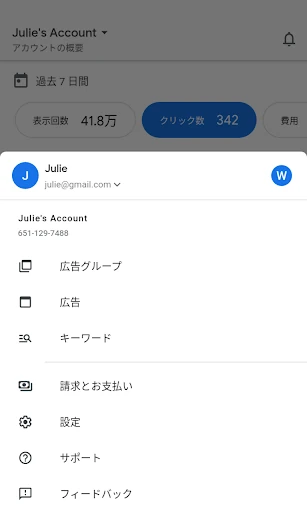
Click to download now, finish the installation quickly, and directly unlock the all-round experience
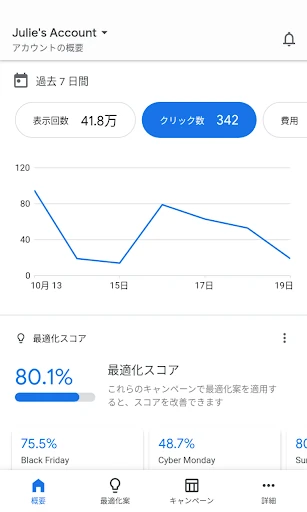
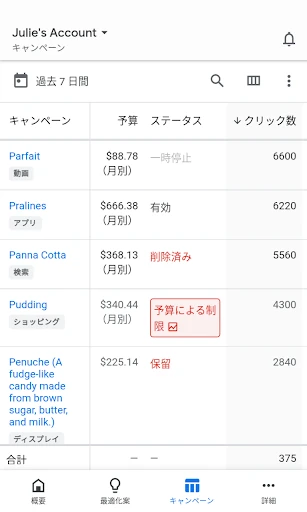
Google Ads is a mobile companion for people who run or monitor advertising campaigns through Google. It suits business owners, marketing teams and independent advertisers who need to check campaign activity away from a desktop. The app brings account performance and selected management tasks into a phone-based interface rather than serving as a general business dashboard.
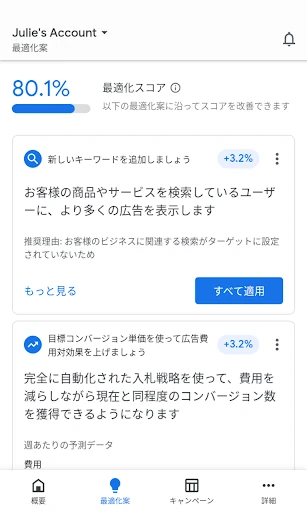
The app can show important advertising figures such as clicks, impressions and conversions, helping users follow how campaigns are performing and how budgets are being used. Depending on the account and campaign setup, users can also adjust budgets, bids and keywords. This makes it useful for routine checks or limited changes when access to a computer is inconvenient.
Google Ads is primarily aimed at advertisers who already use Google’s advertising platform. It is more relevant to campaign owners and marketing staff than to people looking for tools to create ordinary business documents or social posts. Notifications can help users notice issues such as ad disapprovals or marked performance changes, while in-app support options may assist with account questions.
Package: com.google.android.apps.adwords
Developer: Google LLC
Category: Business
Rating: 4.18/5 from 203,045 ratings
Installs: 10,000,000+
Its large install range and substantial rating count indicate broad use, but the app’s value depends on having a Google Ads account and active advertising work to review. For anyone identifying the package before installing, the package name and developer string provide the clearest match.